Build an AI website in 60 seconds
AI generates your personalized website instantly with built-in scheduling, payments, email marketing, and more.
Start for free


Hocoos AI website builder review


Hocoos is an impressive AI website builder designed to help small businesses, freelancers, and service professionals generate a professional-looking site in just minutes. All you need to do is answer a handful of questions from the AI site creator.
However, while Hocoos makes site building accessible, questions need to be answered. There’s the question of performance and how it compares to other popular builders, such as B12, Jimdo, or Wix ADI, particularly in features, pricing, and scalability. This Hocoos AI website builder review will explore how it works, its features and pricing, and its overall performance, so you can decide if it’s the right fit for you.
How Hocoos works: From prompt to published site
Getting a website live on Hocoos is pretty straightforward. That's why it’s catchy for beginners with no web design background and busy small business owners.
Here's a step-by-step guide on how to use Hocoos' AI website builder:
Step 1. Answer business questions
Hocoos’ AI website creator starts by gathering basic information, including your industry, services, and styling preferences. It's a great way to guide users who might not know where to begin with website creation.
Step 2. AI generates website draft
Based on your answers, Hocoos’ AI tool creates a tailored draft that includes the website’s layout, visuals, and copy. With this AI-generated site, you have a foundational draft that will keep you from building one from scratch.
Step 3. Customize and publish
Once the AI finishes, you get access to a drag-and-drop editor that lets you fine-tune colors, fonts, images, and text. The interface allows you to tweak text, replace images, or adjust layouts without any coding knowledge. However, customization options are somewhat limited compared to more advanced builders.
Key features at a glance
Like every AI builder, Hocoos has key features that allow you to create your professional website. Below are the different AI tools that help simplify the website creation process:
1. Design & templates
Hocoos offers AI design automation that quickly builds a website based on your industry and style preferences, so you don’t have to start from scratch. You can choose from several template styles tailored to your brand’s personality, then customize basics like fonts, color palettes, and images.
This makes the whole web design process approachable for beginners. However, the platform lacks the extensive layout freedom or advanced styling that more complex builders offer. That said, Hocoos is great for clean, professional sites, but less suited for unique, highly custom visuals.
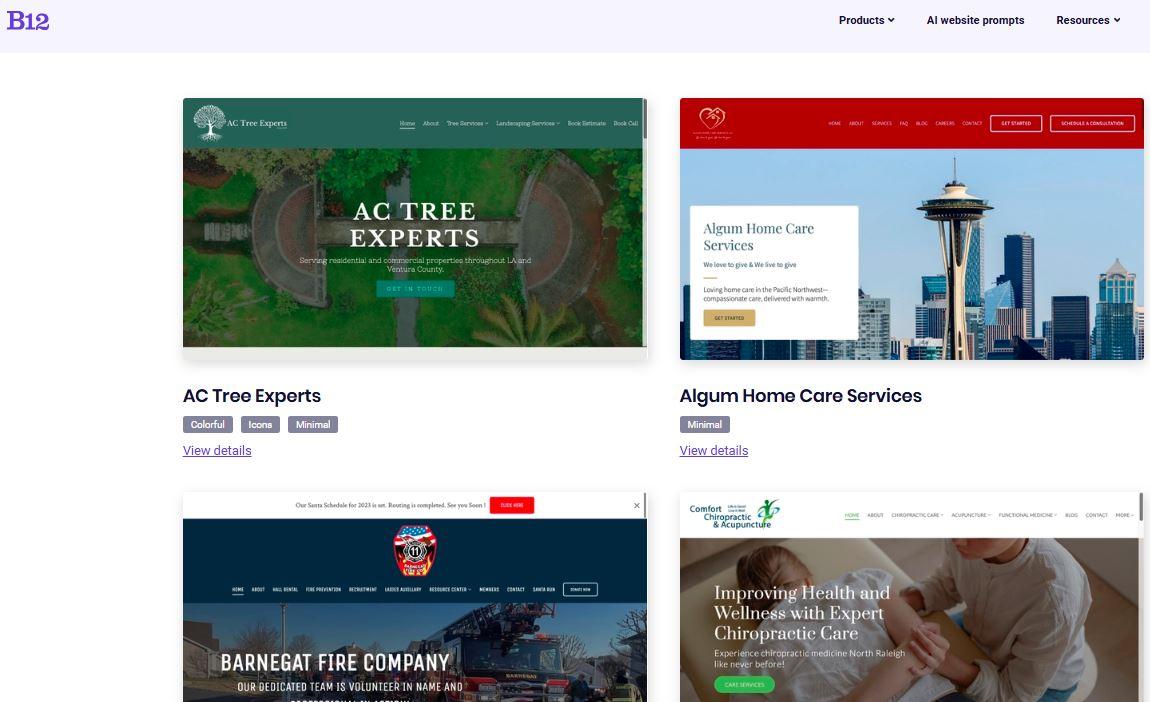
B12, on the other hand, takes a more flexible approach to AI website creation. Instead of relying on fixed templates, it uses your business description and goals to generate a custom-built site structure and design. You can even explore B12’s prompt gallery for inspiration, helping the AI craft a website that reflects your brand identity and professional goals from the very start.
2. Content & visual tools
Hocoos includes an AI writer that helps generate website copy, from business descriptions to service listings, which speeds up your content creation and reduces writer’s block. The AI image generator and image completion features automatically select and fill visuals that fit your site’s theme, so you can avoid the hassle of searching for stock photos.
Though handy, many users find that these AI-generated texts and images need further refining to sound more natural and feel genuinely engaging. This combination places Hocoos a step ahead in helping non-writers and non-designers get online faster.
3. SEO & performance
Hocoos covers basic SEO functions, allowing you to edit your page titles, meta descriptions, and keywords to improve your site’s visibility on search engines. While it supports basic integration with Google Analytics and Google Search Console for performance tracking, these features aren’t as robust or seamlessly incorporated as on some competitor platforms.
If you’re new to SEO or only need foundational help, Hocoos meets those needs. However, if you think your business requires deep analytics or advanced SEO controls might find its offerings basic.
4. Integrations & business tools
Hocoos equips you with core business tools, such as product pages, inventory management, booking forms, and payment system integration using gateways like PayPal and Stripe. These features allow small business owners and freelancers to run functional online stores or booking services right away.
5. Pricing & free plan
Getting started with Hocoos costs nothing thanks to their free plan. With their free plan, you can build and launch a basic site on a Hocoos subdomain, but with some considerable restrictions on uploads and customizations.
If you want more freedom, the premium plan, which starts at around $15 a month, unlocks unlimited AI content creation, access to an extensive stock image library, and expanded design options, including your own custom domain. This pricing is very competitive, especially if you’re testing ideas or running a simple online presence with plans to scale later.
Pros & cons of Hocoos AI website builder
For those who want speed and simplicity in creating professional websites, Hocoos is a solid option. However, don’t expect it to scale beautifully for every business.
Pros:
- Rapid website generation suitable for beginners
- Intuitive drag-and-drop editor with AI-powered tools
- Free plan available to test the waters
Cons:
- Free tier is tight on custom domains, uploads, and customization
- Limited flexibility for more complex website needs
- Customer support can be slow and less responsive, with fewer advanced options
Hocoos vs other AI website builders (including B12)
The AI website builder market is growing rapidly, with forecasts predicting a compound annual growth rate of around 10.2% and a market value of USD 9.7 billion by 2032. This rising popularity reflects why so many users turn to platforms like Hocoos and its competitors, making it important to compare their features, strengths, and limitations to find the best fit for your needs.
From speed and ease of use to business features and SEO capabilities, let’s see how Hocoos measures up against other AI builders like B12, Durable, Jimdo, Framer, and Wix ADI.
Here's a table for a quick look at how Hocoos compares to other website builders:
Speed & ease
Business features & scalability
SEO, customization & support
Value & free plan comparisons
Hocoos
B12
Durable
Jimdo
Framer
Wix ADI
Speed & ease
Hocoos focuses on getting you online fast with minimal input. Just answer a handful of questions, and the AI generates your website in minutes. Similar platforms like Durable and Jimdo also offer the same benefits but lean toward simpler, beginner-friendly setups and fewer advanced options.
For B12, though it provides a no-hassle setup, it gives deeper, more personalized customization options during the build process, which is perfect for allowing your brand personality to shine through. On the other hand, Framer is more focused on highly custom sites, while Wix ADI blends ease of use with powerful AI guidance.
Business features & scalability
When it comes to business tools, Hocoos covers the basics well. It offers options like online store setup, payment integration with PayPal or Stripe, and simple booking features. However, it’s mostly suited for smaller setups or those who prioritize having a clean, basic website.
B12 stands out in this area with its more advanced features, such as conversion tools, scheduling, client management, and payments/invoicing. This makes it a better choice if you prefer to grow your online business or streamline operations.
Durable and Jimdo, meanwhile, offer useful small business tools, but they don’t go as deep. Framer is more of a designer’s playground and less focused on business workflows, whereas Wix ADI provides solid e-commerce and marketing integrations for scaling.
SEO, customization & support
If SEO and tweaking your site’s look are priorities, B12 outshines Hocoos with richer SEO control, human-assisted design help, and better customer support. Hocoos offers the essentials to get you noticed on search engines, but lacks the granularity and reporting that growing businesses might want.
Wix ADI also gives you strong SEO tools and extensive flexibility with design, supported by reliable customer service. Durable and Jimdo offer basic SEO and customization, but can feel limited as your site grows. Framer, on the other hand, lets you fully customize layouts but might require a steeper learning curve, and support leans heavily toward web design pros.
Value & free plan comparisons
Hocoos is an affordable option with a free plan, which is ideal for testing the platform’s features or creating simple projects. However, you’ll quickly hit limits if you want your own domain or more complex features. The premium plan, at around $15 per month, unlocks the full suite, making it a solid entry-level choice for small businesses on a budget.
B12 offers a free plan that lets you build and preview drafts of your website, and a Starter plan provides a more robust set of features, including a free custom domain. Likewise, Wix ADI gives a free plan, and its premium tiers have robust features that grow with your site.
Meanwhile, Durable and Jimdo include free tiers with similar constraints and accessible upgrade paths. Framer doesn’t offer a free tier plan, focusing more on users who are ready to invest..
Who should use Hocoos and who should consider an alternative?
Hocoos is a great platform for users who want a speedy setup with minimal input during the creation process. That said, it’s best for:
- Entrepreneurs or freelancers who need a quick online presence
- Small businesses testing ideas before committing to full-scale branding
- Users who prioritize ease of use over advanced customization or integrations
However, Hocoos may not be ideal for solopreneurs or small businesses that need:
- Scalable, growth-oriented tools for long-term business development
- Stronger SEO performance and built-in conversion features
- Personalized branding and design flexibility
- Deeper business integrations like client intake forms, scheduling, and payments
Conclusion
Hocoos is a straightforward, budget-friendly AI website builder with handy, entry-level features and a drag-and-drop editor that helps beginners create professional-looking websites fast. Still, the platform comes with trade-offs, especially in customization and advanced business tools, which companies require as they expand.
For those serious about building an online presence that can grow and convert traffic efficiently, B12’s AI website builder steps in as the more complete solution. Its built-in conversion and scalability features help your site go beyond the basics with client workflows, SEO, and human-assisted customization support.
Try B12’s AI Website Builder for free today and create a professional website that actually converts visitors into customers.
Look professional online with tips from B12
Receive our email newsletter for advice on how to grow your business and engage clients.
Draft your site in 60 seconds
Get an AI website made specifically for you that's free to launch.
Start for free ✨No credit card required


Spend less time on your website and more time growing your business
Let B12 set up your professional online presence with everything you need to attract, win, and serve clients.